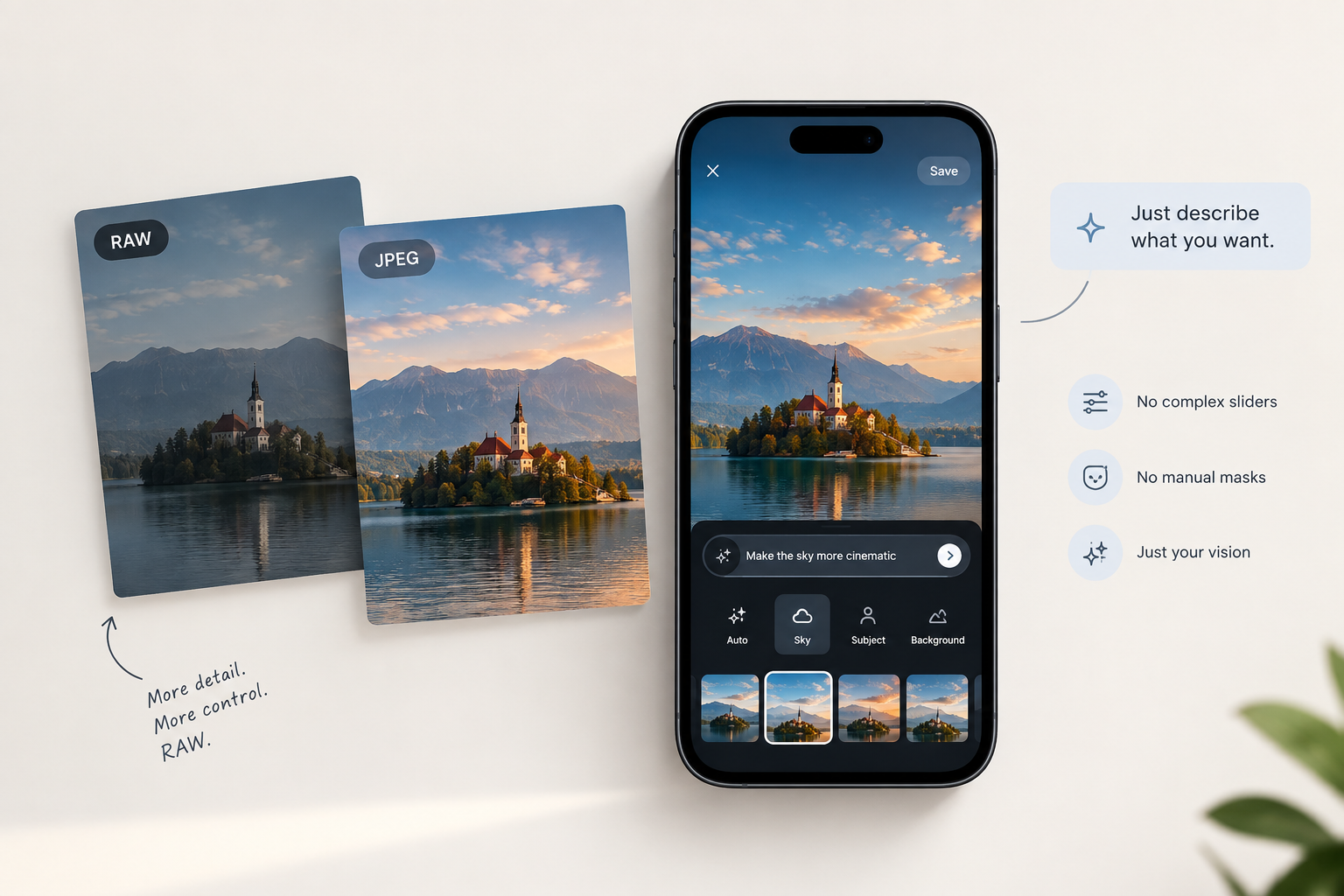
RAW audio files and sensor data sound like the ultimate upgrade for your photos—and technically, they are. RAW preserves all the uncompressed dynamic range, shadow detail, and color data your camera sensor actually captured.
Yet, most casual photographers, hobbyists, and everyday smartphone users hit a wall and stick strictly to JPEGs. The reason isn't a lack of interest in better quality; it's that traditional RAW editing was never designed for normal people.
The Unfinished Canvas Problem
When you take a JPEG, your phone or camera acts as an automatic editor. It applies contrast, sharpens edges, balances colors, and bakes everything into a permanent 8-bit image file.
RAW files don't do that. When imported into standard software, raw sensor data often looks flat, dark, or strangely color-shifted. Unlike JPEGs, RAW captures require intentional post-processing to look complete. If you don't know how to edit them, your RAW photos can easily end up looking worse out of the camera than a standard phone snapshot.
The High Barrier of Traditional Software
Professional suites like Adobe Lightroom and Capture One are incredible tools that working pros rightfully rely on. However, for anyone who just wants a great photo without taking a semester-long course, the interface creates an immediate friction point:
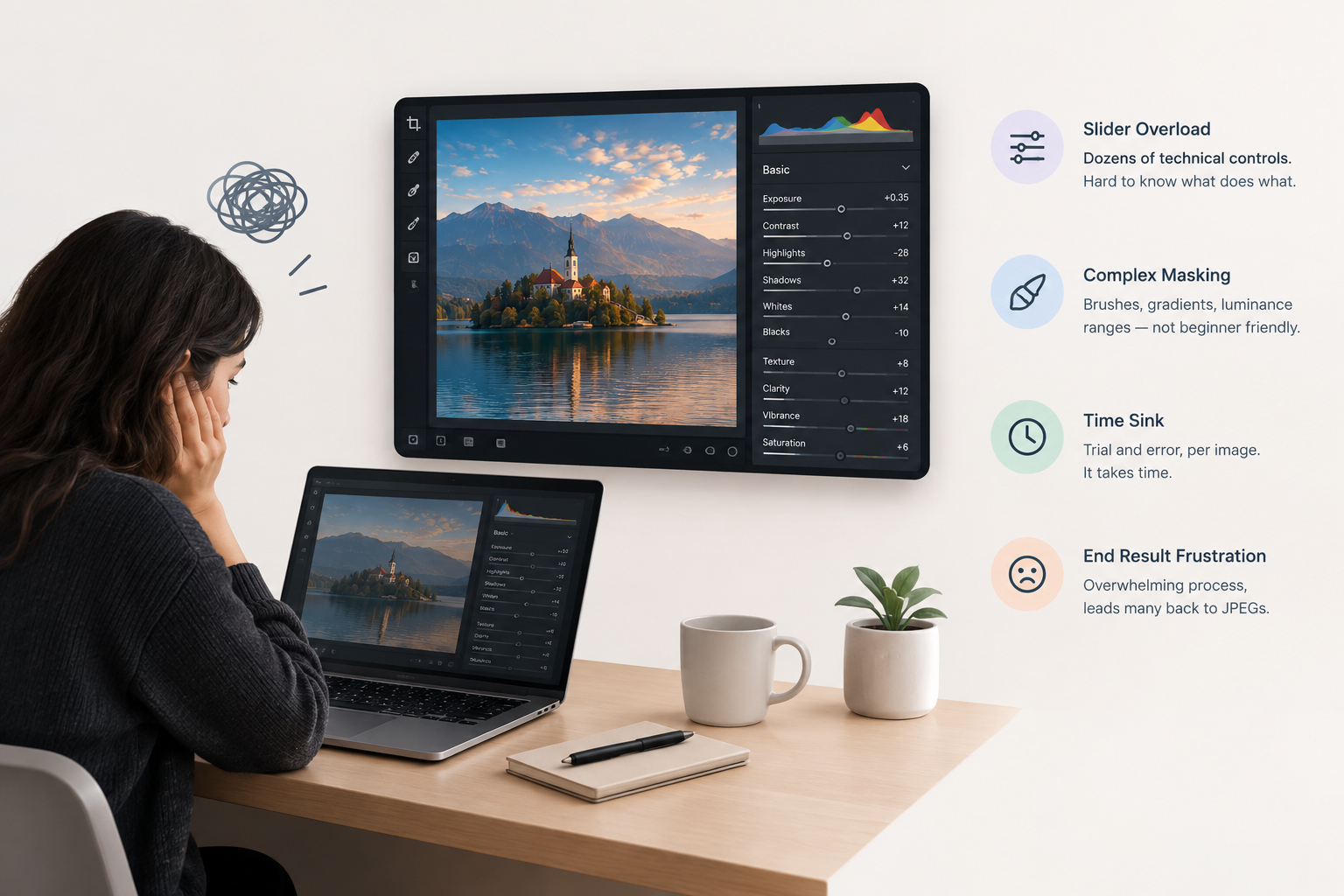
- Slider Overload: You are confronted with dozens of technical controls—Exposure, Contrast, Highlights, Shadows, Whites, Blacks, Clarity, Vibrance, HSL curves, and White Balance tints. You have to know precisely how each slider affects the underlying histogram.
- Complex Masking: Want to brighten just a person's face or darken a blown-out sky? That means learning manual brush masks, radial gradients, or luminance ranges.
- Time Sink: Translating what you see in your head onto the screen takes significant time and trial-and-error per image.
The inevitable outcome is fatigue. Many people attempt shooting in RAW, feel overwhelmed by the technical mechanics, and fall back to JPEGs—leaving all that extra image detail behind.
The Shift: AI That Understands Intent
The barrier has never been RAW itself; it has been the tools required to shape it. A major shift is happening in digital editing where AI acts as a translator between creative vision and technical settings. Instead of requiring you to know which of the 30+ sliders to push, modern tools can interpret natural language and select the right adjustments for you.
RAW Power Made Accessible
This transition is why tools like Snapback RAW exist. Built to bridge the gap between pro-grade sensor capture and everyday simplicity, Snapback lets you capture uncompressed RAW directly on your iPhone while replacing the steep editing learning curve with plain English.
Rather than wrestling with manual masks or complex curves, you can type what you want—like "make the sky more cinematic" or "brighten the subject"—or tap an area to select it instantly. The AI maps your intent directly to professional, non-destructive controls, giving you the full dynamic range of RAW without forcing you to master desktop software first.